Places & the hierarchy
A place is any location where items are held or tracked — a warehouse, a store, a receiving bay, a vehicle, a customer site. Every place is built on a Place Template (which may add custom extended properties) and can have a parent place, forming a single location tree for the whole organisation.
The location tree
The tree is what makes places more than a flat address book:
- Searching and reporting — toggle "Include Child Places" on any search or report and the query rolls up across the entire subtree. Search at Warehouse A and you see everything in Receiving Bay and Aisle 1 counted together automatically.
- User visibility — access to a parent place flows down to all its children. Someone granted visibility to a warehouse automatically sees every bay and aisle inside it, without needing individual grants on each one.
- Dashboards — item-count and activity dashboards aggregate by subtree, so a manager looking at a distribution centre sees the total picture without drilling into each sub-location.
Place types and channels
Place Type and Channel are optional labels you can set on any place. They add context for reporting and display — they do not change how the place behaves in searches, visibility grants, or dashboards.
Place Types: Store, DC, Warehouse, Transit, Sold, Virtual, Customer, Supplier
Channels: In Store, Online, Marketplace
The Place Manager
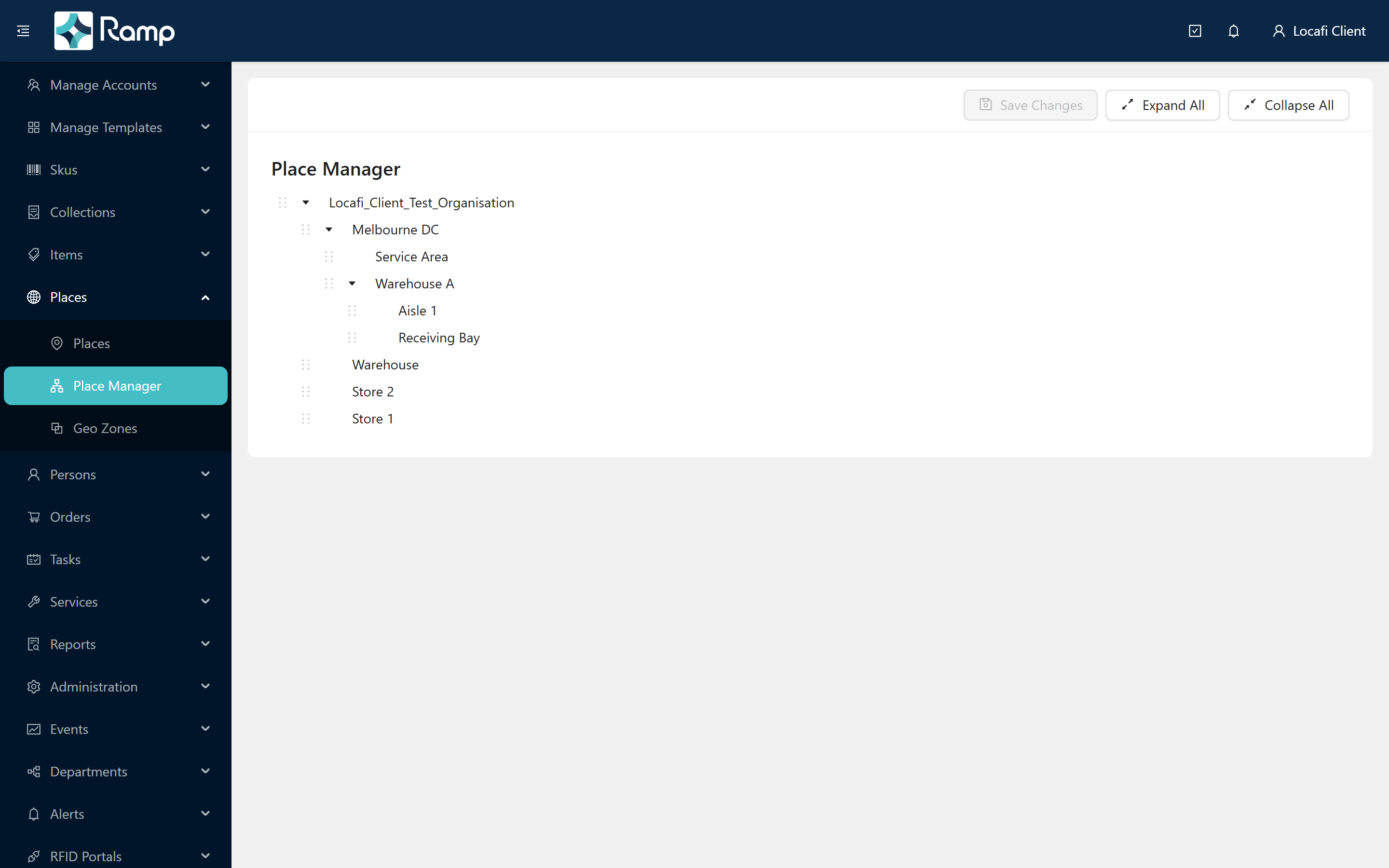
The Place Manager (sidebar → Places → Place Manager) shows the full location tree and lets you restructure it by dragging a place into a new parent.
Moving places safely. Re-parenting a place rewrites the tree position for that whole branch across the organisation — the change takes effect immediately for all users, searches, and visibility grants. Before you move a branch, note where it currently sits and who holds visibility grants against it. Move one branch at a time, then check that the tree looks correct before making another move.
What it looks like in the portal
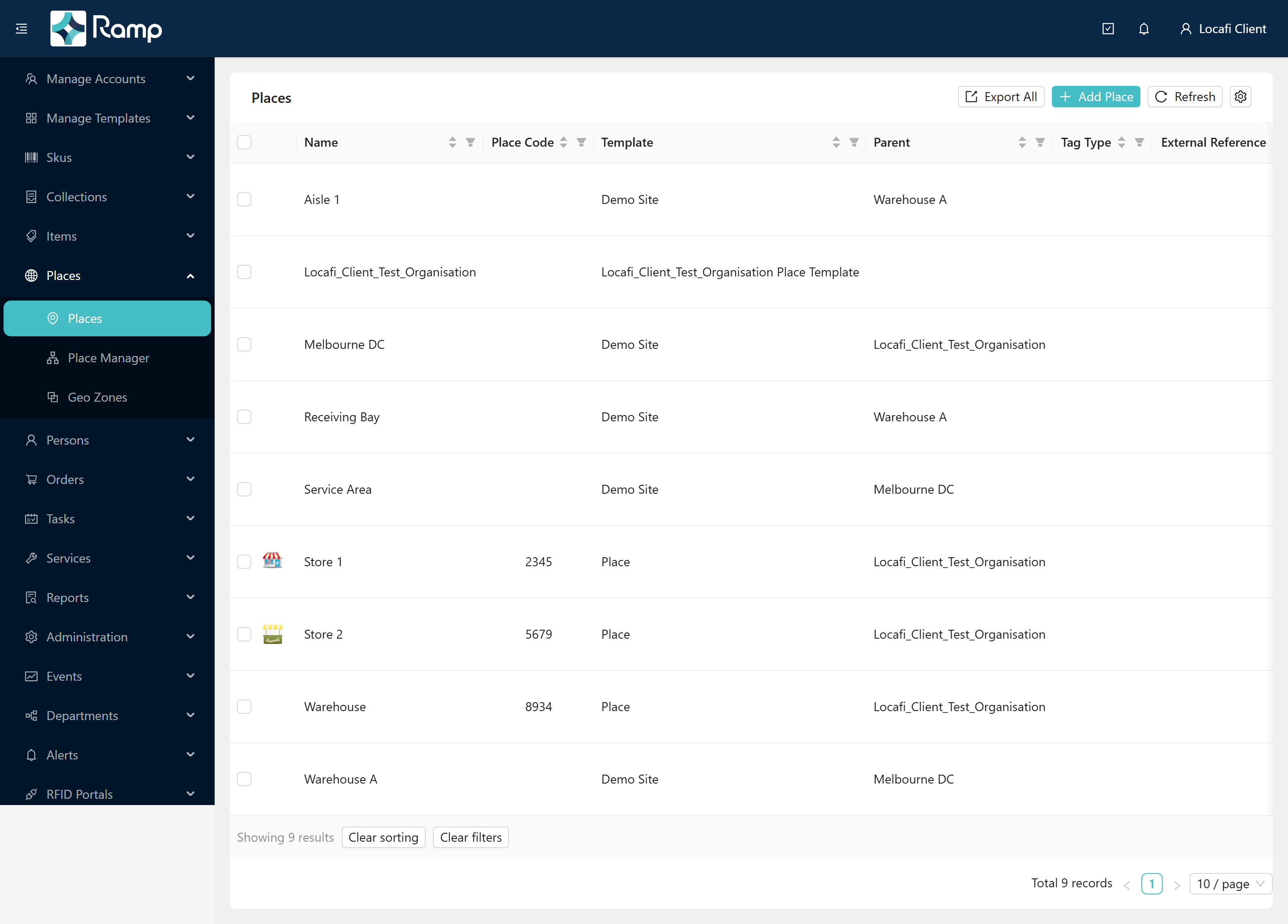
The Places list shows all locations in a flat, filterable table. The Parent column tells you where each place sits in the hierarchy at a glance:
The Place Manager displays the same data as an expandable tree, making the parent–child relationships easy to see:
Items and places
Every item sits at exactly one place at any given moment. Moving items between places is what orders manage — an outbound order takes items from one location and delivers them to another. Stocktakes verify what is actually present at a place.
See Items & item states for how an item's place changes over its lifetime, and Working with places for step-by-step instructions on creating and managing places.
Explore each concept
- How it all fits together
- Templates & extended properties
- SKUs & the product catalogue
- Items & item states
- Orders at a glance
For the REST API reference covering places and visibility, see the API Documentation.